Make time
for the words.
Your books. Your pace. Read one word at a time, listen aloud, or follow a word while the whole paragraph stays with you.
Coming soon to the App Store · iPhone with iOS 17 or later


A little less distraction.
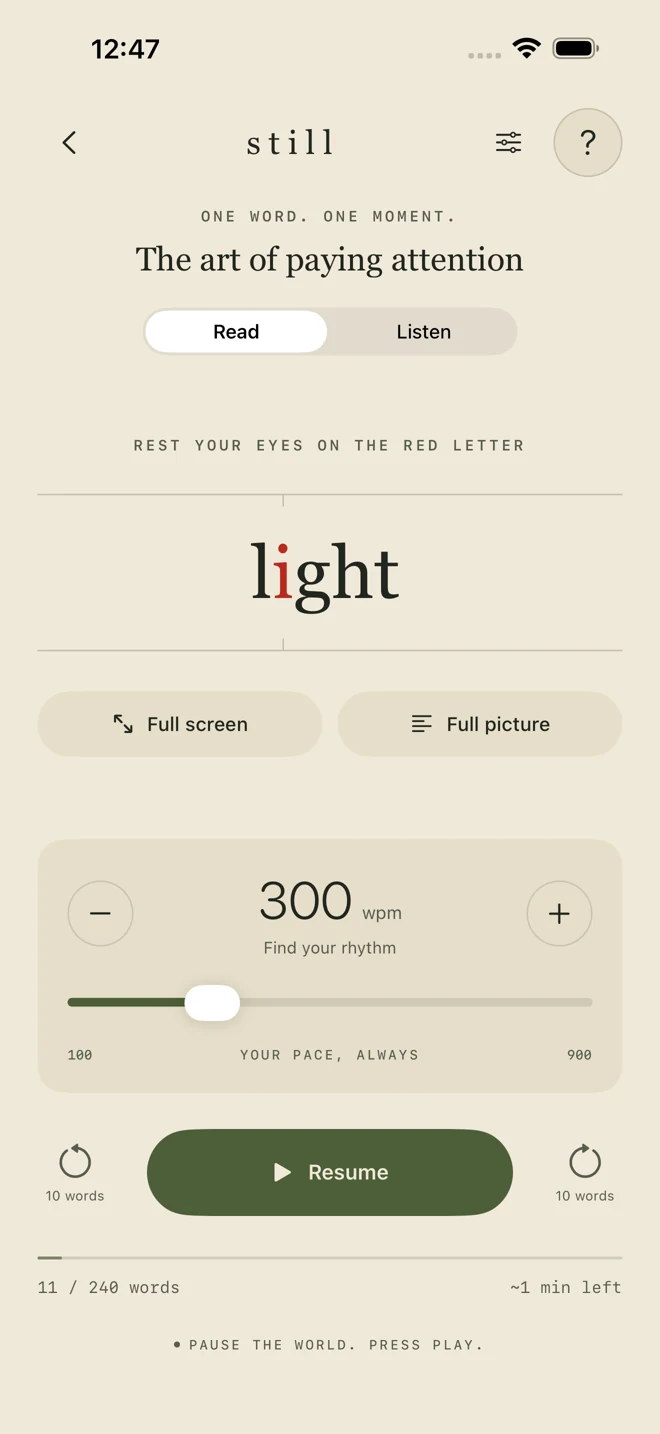
See one word at a time, with a red focus letter and a pace you control. Natural pauses give punctuation and paragraph breaks a little more time.
Let the words find a voice.
Listen with the Apple voices on your iPhone. The reading position follows the spoken words, so you can move between listening and reading.
Keep the whole picture.
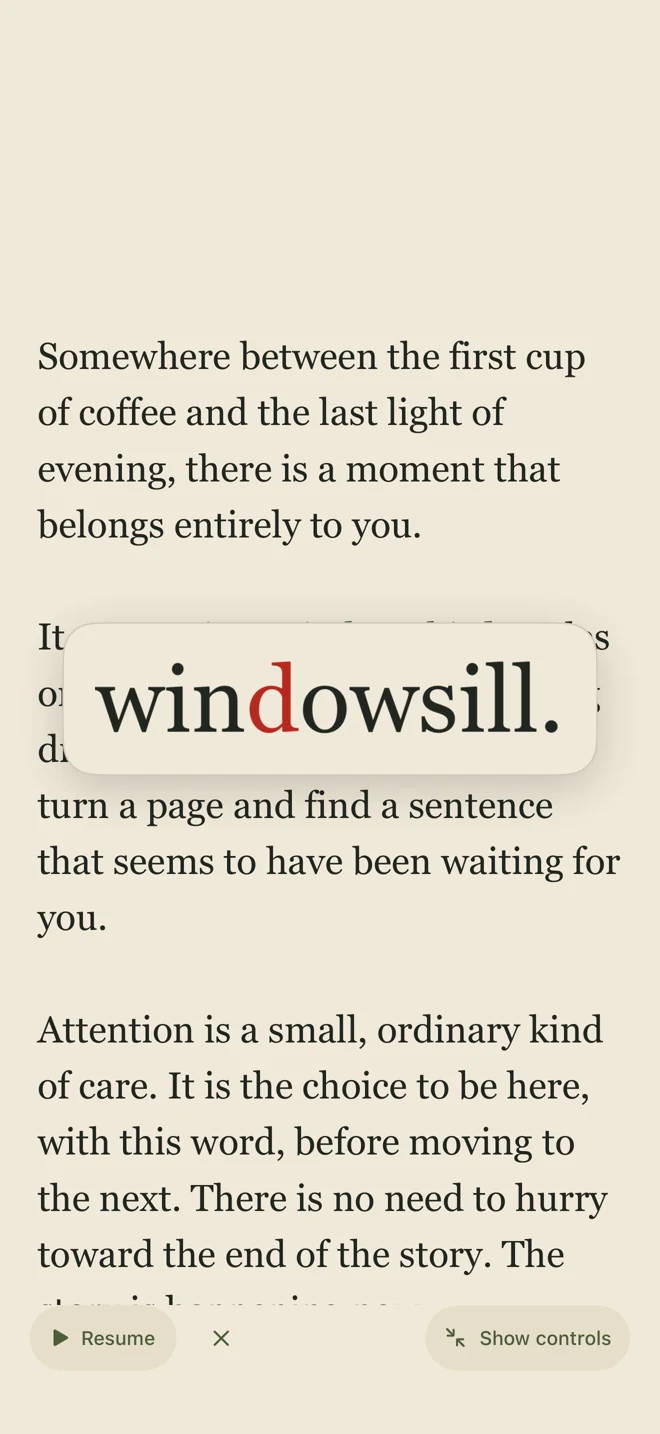
Keep the paragraph visible while the current word lifts into the center. The page follows automatically. Drag to pause and explore, then resume from your place.
Just you and the next word.
Hide every menu in word-only full screen. Tap to pause or resume. Swipe down to return to the normal reader with your place preserved.
Make it comfortable.
Choose Paper or Midnight across the app, plus Normal or Larger text. Settings is just to the left of Help (?) in the library and reader.
Keep your place.
Return to your reading position. Keep bookmarks, highlights, and useful words. Export your library and choose whether to enable iCloud sync.
Look up a word.
Use the Define button for Apple’s dictionary. The paragraph stays easy to scroll with your finger.
From a file to a moment of focus.
Bring something to read.
Tap + in your library. Paste text or choose Open file for an unprotected EPUB, a PDF with selectable text, or a text file.
Find a comfortable pace.
Open the reading and choose Read or Listen. Adjust speed, voice, text size, and colors to suit you.
Choose your view.
Use Full screen below the word for focus, or Full picture for the paragraph. Pause whenever you want to think or reread.
Still reads text. It does not unlock protected books, scan image-only PDFs, or connect directly to Apple Books.
A few words.
At your pace.
Try a small sample right here. Start slowly, adjust the pace, and notice what feels comfortable.
Faster is not always better. Increasing presentation speed does not guarantee equal understanding. Still has not been clinically or scientifically proven to improve reading ability.
Read the evidence and its limitsPress Play to try it. Pause, change the pace, or switch the background. This is a website demo, not the iPhone app.
The word moves forward.
The story stays close.
Watch Word Lift in the app. The active word enlarges in the middle, and the page scrolls to keep its line centered behind it.
Open Full picture, then Full screen, then Lift words. Drag to pause. Resume brings you back. Tap × to turn lift off, or Show controls to restore the menus.
Actual app recording. No audio. Reduce Motion removes travel and zoom in the app.
Start with a small library.
Free at launch
- Three personal readings at a time
- Three original samples
- Every reading mode and tool
More books? Still Pro.
$14.99 USD
Planned US price for one purchase. No subscription. Unlock an unlimited personal library.
Final local prices appear in the app. Existing readings stay accessible if purchase access ends. Restore purchases with the Apple Account used to buy Pro.
Your next quiet moment.
Still is coming soon to the App Store. Until then, explore the guide or get in touch.